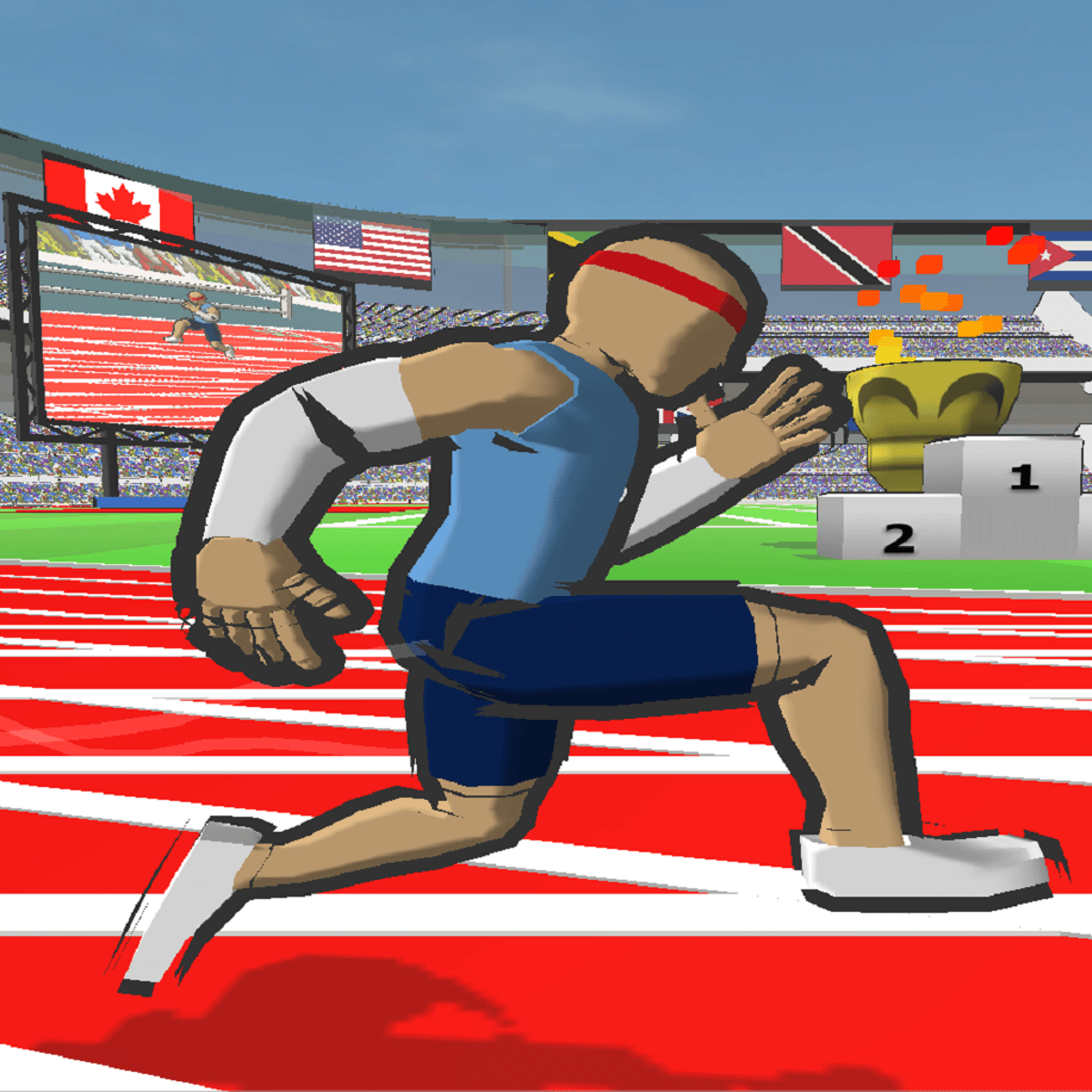
 I almost skipped Speed Stars because the screenshots looked too simple. There’s a running track, a group of athletes, and a finish line. No open world. No dramatic storyline. No collection of complicated equipment that adds three percent to your character’s left ankle power.
You just run.
Then I discovered that “just running” means controlling an athlete’s stride one step at a time, and the game became much more interesting. Speed Stars uses two alternating inputs to simulate the rhythm of sprinting. When you press them evenly, your athlete builds speed and moves naturally. When your timing slips, the runner loses momentum or begins moving like someone who has just remembered they left the oven on.
It’s funny for about three seconds. Then you see your finishing time and take it personally.
Speed Stars is a compact track and field game developed by Luke Doukakis. Its races are short, its controls are easy to explain, and its learning curve is sneakily demanding. I’d describe it as a casual sports game with a competitive heart. Almost anyone can begin playing, but getting genuinely fast requires patience.
What Do You Actually Do in Speed Stars?
You alternate between two keys, buttons, or touchscreen inputs to control your runner’s legs. Each press contributes to the stride, so speed depends on more than how quickly you can tap. You need balance, rhythm, and a clean transition from the start into full acceleration.
The official Speed Stars page on Steam includes the 60m, 100m, 200m, and 400m sprint events. You can race solo, challenge AI athletes, compete against recorded player ghosts, and compare results through personal and online leaderboards. Character customization, multiple stadium themes, music choices, and camera settings add variety.
Mobile and browser editions can differ from the PC release. Depending on your version and access level, you may find hurdle races and other event options alongside the basic sprints.
That platform variation is worth checking before you pay for anything. The essential running system remains consistent, but the amount of available content may not be identical.
Why the Controls Feel Strange at First
Most games let you hold a button to sprint. Speed Stars asks you to create each step, which can feel clumsy during the first few attempts.
My natural response was to tap both sides as rapidly as possible. I assumed the athlete would sort out the details. The athlete did not sort out the details.
One hand moved faster than the other, the stride became uneven, and I lost to a computer-controlled runner who appeared to be taking a comfortable morning jog.
If you’re new, begin slowly enough to maintain an even left-right pattern. Listen to the tapping sound and watch the athlete’s movement. Smooth animation usually means your timing is working. Once the cadence becomes stable, increase the pace without abandoning the rhythm.
Keep your fingers relaxed too. Tension makes precise repetition harder and can become uncomfortable after multiple races. The game records times to fractions of a second, but you don’t need to attack the controls as though they owe you money.
The 100m Is the Best Starting Point
I recommend learning with the 100m dash. It gives you enough time to practice the start, acceleration, and maximum-speed phase without introducing the pacing demands of a longer race.
Wait for the starting signal instead of trying to predict it. Once the race begins, use the opening steps to establish your pattern. Increase the tempo as the athlete accelerates, then maintain the cleanest rhythm you can until the line.
Don’t restart every time the first step feels wrong. Finish some imperfect races so you can practice recovering and maintaining speed. If you constantly quit after a weak start, you may become excellent at the first ten meters and completely unreliable everywhere else.
The 60m sprint becomes more enjoyable once your reaction and acceleration improve. Because the event ends so quickly, even a minor opening mistake has a large effect.
The 200m and 400m require a different approach. You need speed, but you also need to manage effort. Starting the 400m with your maximum tapping rate may create an impressive first section followed by a miserable finish.
Use a sustainable cadence through the middle, then increase your effort near the end. The slower-looking strategy can produce the faster overall time.
Speed Stars Works Well as a Family Game
The two-input control scheme makes Speed Stars easy to share. You can hand the game to someone who rarely plays sports titles and explain the entire concept before the next race loads.
That doesn’t guarantee equal competition. An experienced player’s rhythm will usually beat random tapping, but beginners can understand why they lost and improve quickly. The short events also make taking turns painless. Nobody needs to wait twenty minutes while one person completes a match.
I can imagine Speed Stars working especially well between siblings, parents and children, or friends who enjoy chasing each other’s scores. You don’t need to play live multiplayer for competition to develop. One person sets a time, the next tries to beat it, and an ordinary evening quietly becomes an athletics championship.
The game’s family-friendly presentation helps. The focus is on performance rather than violence, and customizable athletes let players create a runner they enjoy using.
Just establish one rule early: blaming the keyboard is allowed only once per session.
Ghosts Turn Repetition Into Useful Practice
Personal-best ghosts give Speed Stars much of its staying power. Instead of racing against an abstract number, you compete with a visible recording of your strongest performance.
Watch where the ghost begins pulling ahead. If you lose ground immediately, work on your reaction and acceleration. If the gap appears during the middle, your cadence may be inconsistent. If you fall behind near the finish, you may be losing control under pressure.
AI racers provide another level of competition and can scale around your personal bests. The PC version allows a field of up to eight runners, combining computer opponents and ghosts to make events feel more like actual races.
Experienced players should use replay mode to study their movement rather than relying entirely on how a run felt. A frantic attempt may feel incredibly fast while producing an average result. A calmer performance can look almost uneventful and set a new record.
That contrast is one of the game’s better lessons: effort and efficiency aren’t always the same thing.
What Regular Players Can Improve
Once the basic rhythm becomes automatic, focus on individual phases of the race. Practice reacting to the signal, building speed through the opening steps, maintaining cadence, and finishing without tightening up.
Treat each event separately. Your best 100m rhythm may be too aggressive for the 400m. Develop a pacing plan for longer distances and test it over several races before judging the result.
Different unlockable runners can have slight strengths and weaknesses, so experiment with character choices. Don’t assume one athlete is universally superior. A runner that matches your natural cadence may produce better times than a character who appears stronger on paper.
Leaderboard competition offers a long-term goal, but personal records are more useful at first. Trying to match a world-leading performance as a beginner can feel discouraging. Beating yesterday’s time by a small amount provides a realistic sign of progress.
Where Speed Stars Falls Short
Speed Stars has a narrow focus. You’ll repeat the same running events many times, and most improvement appears as tiny changes on the stopwatch. If you need constant novelty, a detailed career story, or a wide range of sports, the game may feel repetitive.
The learning feedback could also be clearer. Replays and ghosts show where you lost time, but they don’t always explain what your fingers did wrong. An input graph or deeper training mode would help players analyze their cadence.
Rapid tapping can become tiring during a long session. Take regular breaks, especially when playing on a phone. A game about athletic performance should not end with you needing to ice your thumbs.
Finally, free and paid content varies by platform. Players interested in every sprint and hurdle event should review what their specific version includes.
Final Verdict
Speed Stars is worth playing because it creates real depth from an unusually small control scheme. The game doesn’t overwhelm beginners with instructions, yet it gives experienced players plenty to refine through pacing, character selection, ghost analysis, and event-specific rhythm.
New players can enjoy the comedy of learning to run before gradually producing smoother performances. Returning players can chase personal records, climb leaderboards, study replays, and fight for improvements measured in hundredths of a second.
I expected Speed Stars to entertain me for a few races. Instead, it made me care deeply about the difference between two numbers that most people would consider identical.
You set a record, celebrate briefly, and then notice how close you are to the next milestone.
Anyway, one more run.